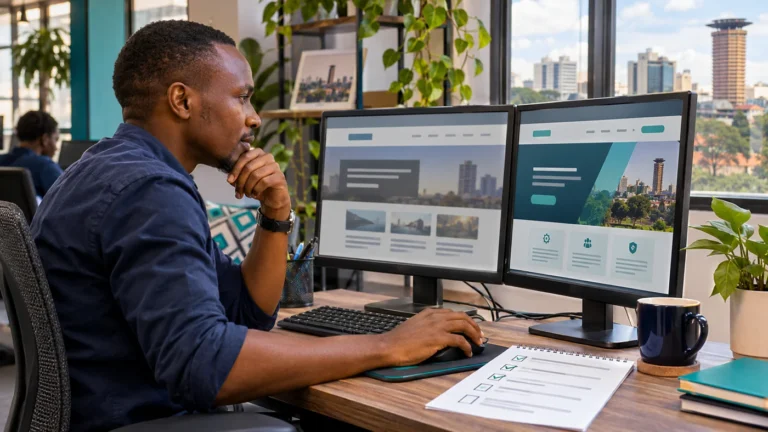
A political website is a public publishing system, and its administration needs careful organisation. Security includes the accounts used to edit pages, the software running the site and the arrangements for restoring service after a problem.
No single plugin removes all risk. A practical approach assigns responsibility for the essential controls and checks that they continue to work.
Start with an account inventory
List the accounts associated with the website: WordPress administration, hosting, domain registration, email delivery and any connected services.
Identify the authorised owner and recovery contact for each. A site can become difficult to manage if the only person with hosting access is a supplier who no longer works with the organisation.
Keep the inventory separate from passwords, and use an appropriate password manager for credentials.
Give people the access their role needs
An editor uploading news may not need permission to install software or change settings. Use named accounts and choose roles appropriate to the tasks assigned.
WordPress security guidance identifies suitable user roles and maintained software as important foundations. Review those responsibilities with your administrator rather than giving every contributor the most powerful account. See WordPress security guidance.
When someone leaves, review access promptly. Shared accounts make it harder to remove one person’s access without affecting everyone.
Protect logins and recovery routes
Use strong, unique passwords and enable additional authentication protections where supported. Include the associated email and hosting accounts in the review, not only the WordPress login.
Check who can recover each account. Recovery messages should reach an authorised person, and backup methods should be stored appropriately.
Avoid sending credentials through ordinary group chats. Establish a controlled way to share required access with the developer.
Keep the software inventory manageable
Know which theme and plugins are installed and why each is needed. Ask the maintainer to review updates and remove unnecessary components through a planned process.
The WordPress hardening guide emphasises maintaining current software and using reliable sources. Updates should be accompanied by appropriate backups and checks of essential functions. See the WordPress hardening guide.
Do not install unfamiliar software directly on the public site simply to test a promised feature.
Separate public publishing from private records
A public website should contain reviewed information intended for visitors. Private team files, draft statements and internal contact lists need separate access arrangements.
Before uploading a document, review what the exported file contains. Check for visible comments, unrelated pages or material copied from an internal version.
A final approval step can reduce publishing mistakes even when the website’s technical controls are working correctly.
Prepare for recovery before it is needed
Agree on a backup schedule, storage location and restoration process. Confirm that both site files and database information are covered.
A recovery exercise can reveal missing access or incomplete backups before an incident. Record who contacts the hosting provider, who approves restoration and who checks the recovered site.
Also identify how the team will communicate if its normal website email is unavailable.
Understand what website encryption does
Ask the provider to ensure the site and administration use HTTPS correctly. This protects the connection between the visitor’s browser and the server when configured properly.
It does not guarantee that every document is accurate or that every administrator account is secure. Treat it as one part of the overall arrangement.
Define ongoing support responsibilities
The support agreement should identify who reviews updates, responds to alerts, checks backups and handles incidents. Discuss response expectations and any work charged separately.
Top Web Design Kenya can review website support requirements and help define a practical improvement plan. Share the site address and current hosting arrangement through the enquiry form; do not include passwords in a general message.
Explore our political website design service or request a website quote. Call 0721 985 722 or email mail@topwebdesign.co.ke.